Updated 31-Aug-2026
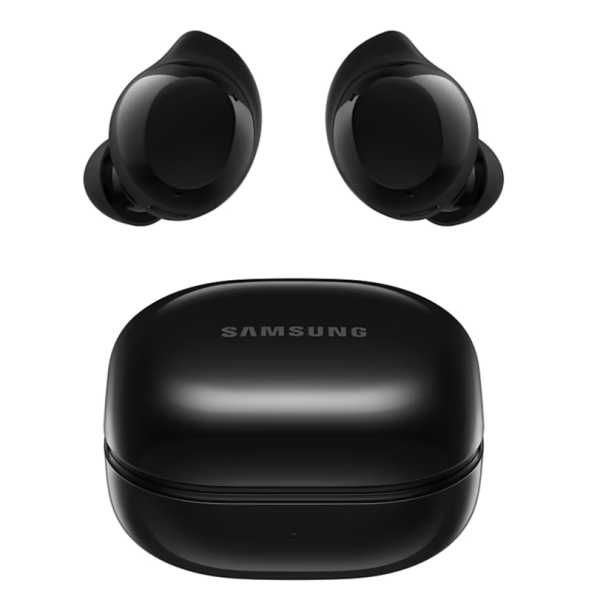
See also
- Samsung buds core bluetooth
- Android devices
- Android apps
- Disable One UI 7/8 battery indicator
- Android Debloater
I hate bluetooth
I have hated and rejected bluetooth for since its inception. I mean, for headphones/earbuds. Of course I use bluetooth for things like:
- Smart band
- Car connectivity (in conjunction with wifi)
- SMK25II midi controller
- Chromecast-compatible smart speakers/TV
- Other bluetooth speakers
Heck, it looks like I actually love bluetooth (but have still hated bluetooth earbuds).
Well, that has now changed.
Buds core
I recently saw an article about how Samsung galaxy buds combined with one of a few Samsung phone models, can produce near-simultaneous translation (interpretation) directly into one's ear. Kind of like being at the UN with one's own interpreter. Cool.
Well, I don't have an A17 yet (the least expensive supported phone for that functionality), but my A24 is still quite nice, and can support the bluetooth buds plugin, so is fully configurable from the Android device, as well as the equally functional Linux buds manager on Flathub and on Github.
The Galaxy buds core is interesting because it is pretty cheap (~900 Thai baht = $30 USD), has gotten great reviews (especially value-for-money), it works with Samsung, which is my brand of choice for these things, and it is time to untether, at least part of the time.
There are still some issues, such as having to tap my ear for pause/play, double-tap for next, triple-tap for last, hold right earbud for volume up and hold left earbud for volume down. Sounds is pretty good. Mostly don't feel the device in my ears. But I do have to manually switch between different devices (Samsung galaxy A24 phone, Riuzu x52 mp3 player, etc. It takes time to make these changes, so there is waiting involved.
In any case, a good first few days with this new device. See the online buds manual.
Some errors on installation (Linux)
I got some errors, then futzed around with a few things, so unsure what precisely was the fix. Here are a few things to try:
sudo apt install libspa-0.2-bluetooth(thank you hakanovski588).- Definitely reboot between software installation and bluetooth device connection.
- Use the command-line bluetooth to walk through the various steps.
Command-line bluetooth management
Helpful for configuring and troubleshooting:
Bluetooth service
systemctl status bluetooth
sudo systemctl start bluetooth
sudo systemctl enable bluetooth
systemctl status bluetooth
bluetoothctl
Very handy bluetooth control utility:
bluetoothctl
power on
scan on
scan off
pair *mac-address*
trust *mac-address*
connect *mac-address*
exit
Can also use the command: remove *mac-address*