Updated 11-Sep-2026
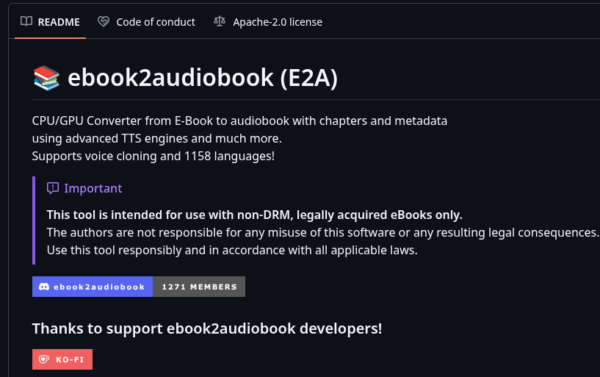
ebook2audiobook is an open source project that does what it says on the tin.
Setting Up ebook2audiobook on Debian 13 (Trixie) with AMD Radeon 680M Acceleration (integrated GPU)
This guide outlines the complete setup for running ebook2audiobook on Debian 13 (Trixie) using an integrated AMD Radeon 680M (RDNA 2) APU for ROCm hardware acceleration. This was tested on an Aoostar GEM10 with 32gb shared memory with 16GB configured for the GPU using the BIOS.
Step 0 is to download and install the main script which also downloads the github repository and creates and cds into the ebook2audiobook directory.
git clone https://github.com/DrewThomasson/ebook2audiobook.git
cd ebook2audiobook
./ebook2audiobook.command
This is an amazing amount of software to install so it will take time. You'll probably whant to do an apt update && apt upgrade likely with backports before and/or after this to tidy up.
Step 1: System Hardware Permissions & BIOS Settings
To give non-root processes access to AMD GPU device nodes (/dev/kfd and /dev/dri): Add user permissions:
sudo usermod -aG render,video $USER
newgrp render
BIOS VRAM Configuration:
Reboot into your system BIOS/UEFI and set the UMA Frame Buffer Size (or iGPU VRAM) to at least 4GB or 8GB. This reserves shared system RAM for GPU execution buffers.
Step 2: Download Standalone Python 3.12 & Create Environment via uv
Debian 13 defaults to Python 3.13, which lacks ROCm PyTorch wheel compatibility. Instead of compiling Python 3.12 globally or installing system packages, uv downloads a standalone, self-contained Python 3.12 runtime binary isolated inside the project directory:
uv venv venv --python 3.12
source venv/bin/activate
Step 3: Inject pip into the uv Environment
uv creates minimal virtual environments without bundling pip. Because app.py directly executes pip in subprocesses to verify dependencies at runtime, inject pip and setuptools directly into venv/bin/:
uv pip install pip setuptools
Step 4: Install ROCm PyTorch & Fix Dependencies
Install PyTorch built for ROCm 6.2, install application requirements, and pin sentence-transformers so it remains compatible with the underlying huggingface-hub and transformers versions:
# 1. Install ROCm 6.2 PyTorch wheels
uv pip install torch torchvision torchaudio --index-url https://download.pytorch.org/whl/rocm6.2

# 2. Install application requirements
uv pip install -r requirements.txt

# 3. Pin sentence-transformers to resolve Hugging Face dependency conflicts
uv pip install "sentence-transformers>=2.2.0,<3.0.0"
Verify that the dependency tree is completely satisfied:
uv pip check
(Expected output: No broken requirements found.)
Step 5: Configure Hardware Acceleration Overrides
Because the Radeon 680M is an RDNA 2 APU (gfx1035/gfx1036), PyTorch requires environment variables to map it as a supported discrete RX 6800 GPU (gfx1030), bypass System DMA engines, and configure memory allocation:
- HSA_OVERRIDE_GFX_VERSION=10.3.0: Remaps target architecture binaries to supported gfx1030.
- HSA_ENABLE_SDMA=0: Bypasses System DMA hardware engines not available on APUs.
- HIP_VISIBLE_DEVICES=0 / ROCR_VISIBLE_DEVICES=0: Binds ROCm execution directly to GPU 0.
- PyTorch_HIP_ALLOC_CONF=...: Prevents memory fragmentation within the shared UMA RAM buffer.
Step 6: Create the Startup Script (run_gpu.sh)
Create a local wrapper script inside your ebook2audiobook directory to automate the environment activation and ROCm overrides:
cat << 'EOF' > run_gpu.sh
#!/bin/bash

# 1. Activate the uv-downloaded Python 3.12 environment

source venv/bin/activate

# 2. Radeon 680M APU ROCm Overrides

export HSA_OVERRIDE_GFX_VERSION=10.3.0
export HSA_ENABLE_SDMA=0
export HIP_VISIBLE_DEVICES=0
export ROCR_VISIBLE_DEVICES=0
export PyTorch_HIP_ALLOC_CONF=garbage_collection_threshold:0.8,max_split_size_mb:512

# 3. Launch application

python app.py "$@"
EOF
chmod +x run_gpu.sh
To launch ebook2audiobook with full AMD Radeon 680M hardware acceleration:
./run_gpu.sh