Updated 13-Sep-2026
What are they good for
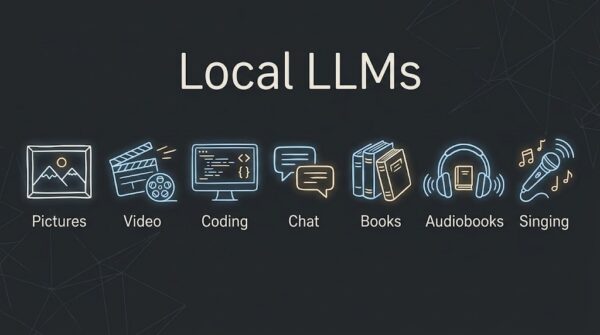
Local LLMs are running these generative tools on local (not cloud) hardware. This is good for cost, security, privacy, and the resources spent. That said, those of us with tiny budgets still can do some interesting things. By that I mean the following generative AI:
- Images
- Video
- Audio (music, audiobooks)
- Chat
- Coding
Hardware
This is all about the GPU (but also ram, bus throughput, and some processor). As I personally detest NVIDIA (due to the sheer technical difficulties and time-wasting dealing with their drivers), AMD is my platform of choice.
- Integrated graphics
- These can be surprisingly useful especially with shared memory that can be dedicated via the BIOS.
- Discrete graphics
- These can be used with USB4 or Occulink. Too expensive for me.
The Integrated Graphics of note are the 680m, 780m, 880m, and 890m found on laptops and minis (NUCs). The next series is the Strix Halo Radeon 8050S / 8060S which have faster ram, 64-96gb (compared with 126-32gb), double the bus speed, and up to 40 compute units (compared with 12-16).
For now 890m is something nice to look for, for later maybe Strix Halo, when the price comes down (LOL). Advantages are:
- RDNA 3.5 vs. RDNA 2
- Faster LPDDR5X-7500 ram vs. LPDDR5-6400
- Vulkan zero driver overrides (on 780m and up)
- ROCm 12c @ 2.2ghz vs. 16c @ 2.9ghz
| Feature / Metric | AMD Radeon 680M | AMD Radeon 780M | AMD Radeon 880M | AMD Radeon 890M |
|---|---|---|---|---|
| Architecture | RDNA 2 (gfx1036) |
RDNA 3 (gfx1103) |
RDNA 3.5 (gfx1150) |
RDNA 3.5 (gfx1150) |
| Compute Units (CUs) | 12 CUs | 12 CUs | 12 CUs | 16 CUs |
| Stream Processors / Shaders | 768 | 768 | 768 | 1024 |
| Max Clock Speed | Up to 2.4 GHz | Up to 2.8 GHz | Up to 2.9 GHz | Up to 2.9 GHz |
| FP32 Compute Performance | ~3.68 TFLOPS | ~4.30 TFLOPS | ~4.45 TFLOPS | ~5.94 TFLOPS |
| Memory Support | DDR5-4800 / LPDDR5-6400 | DDR5-5600 / LPDDR5X-7500 | LPDDR5X-7500 | LPDDR5X-7500 |
| Max Memory Bandwidth | ~102 GB/s | ~120 GB/s | ~120 GB/s | ~120 GB/s |
| Max BIOS VRAM Allocation | Up to 16GB | Up to 16GB | Up to 16GB/24GB | Up to 16GB/32GB |
| ROCm Override Flag | HSA_OVERRIDE_ GFX_VERSION= 10.3.0 |
HSA_OVERRIDE_ GFX_VERSION= 11.0.0 |
HSA_OVERRIDE_ GFX_VERSION= 11.0.0 |
HSA_OVERRIDE_ GFX_VERSION= 11.0.0 |
| Prompt Processing (LLM / Vulkan) | Baseline | +15% to 25% vs 680M | +30% to 45% vs 680M | +50% to 75% vs 680M |
| Token Generation (LLM / Vulkan) | Baseline | +10% to 15% vs 680M | +15% to 20% vs 680M | +15% to 25% vs 680M |
| TTS Inference (PyTorch / ROCm) | Baseline | +15% to 25% vs 680M | +25% to 40% vs 680M | +40% to 60%+ vs 680M |
| Dedicated FP16 Matrix Cores | No (Standard SIMD) | Yes (WMMA Instructions) | Yes (WMMA + Dual Issue) | Yes (WMMA + Dual Issue) |
| SDXL Step Speed (Execution Speed) | ~5.0 to 6.5 s/it | ~2.0 to 2.5 s/it | ~1.6 to 2.0 s/it | ~1.1 to 1.3 s/it |
| SDXL Render Time (20 Steps) | 100 to 130 seconds | 40 to 50 seconds | 32 to 40 seconds | 22 to 26 seconds |
| SDXL Output Rate (Images/Min) | ~0.5 img/min | ~1.2 img/min | ~1.6 img/min | ~2.5 img/min |
| Wan 2.1 1.3B Video (832x480, 5s) | ~4 to 6 min | ~2 to 3 min | ~1.8 to 2.5 min | ~1.0 to 1.5 min |
| HunyuanVideo 1.5 GGUF (720p, 5s) | ~10+ min (OOM risk) | ~4 to 6 min | ~3.5 to 5 min | ~2.5 to 3.5 min |
The 680m is powering my Aoostar GEM10 which turned out to be a great little $500 device (not including monitor, mouse, keyboard), whereas to get an 890m that would be the Aoostar MACO Ryzen AI 9 HX 470 for $900 or 1,100 with a 1TB SSD. Both have the soldered on 32GB of RAM. Yeah, inflation sure hit. There is a 1 year price difference between those two devices, with the ram-aggedon in between. If you want to spend $2,000 for a mini laptop, then get the HX 370 + 33gb in the 2025 GPD WIN Max 2 10.1". Jeez these prices.
Overview of instructions
- Configure dedicated GPU ram in the BIOS
- (Linux TTM overrides via GTT if you have that problem, small BIOS or crazy big ram)
- For llama.cpp, compile with Vulkan support (chat, coding)
- For stable-diffusion.cpp, Wan2GP, ComfyUI use ROCm and Pytorch (image, video, audio)
Example uses
... more to come ...
See also
- Coming of the Bots from 2016
- Rise of the Chat Bots from 2016
- Deep Speech from late 2010s
- Tesseract from late 2010s
- Artificial Intelligence Machine Learning updated 2026
- Generative AI in Music 2026
- AI Chat Bots 2026
- Local LLMs 2026
- Coding AI 2026